- 100% free
- No account necessary
- Private
Your invoices stay in this browser. We never see them.
An invoice maker that starts with the invoice.
What you see below is the editor, not a picture of it. Type over the sample, pick a template and download a real PDF. No account and no sign-up form.
From this page to a PDF in three moves
Type over the sample
Click any text on the sheet and type. The sample gives way as you replace it, and the totals keep up with every number.
Make it look like yours
Drop in a logo and the accent color is picked from it. Choose one of twelve templates; your words stay exactly where you put them.
Download the PDF
You get a vector PDF with selectable text and embedded fonts, on US Letter or A4. Print and PNG are in the same menu.
Twelve templates, not one template in twelve colors
Each has its own layout and its own pair of typefaces. Below is the same sample invoice in all of them. Switch in the editor as often as you like: nothing you typed is lost.
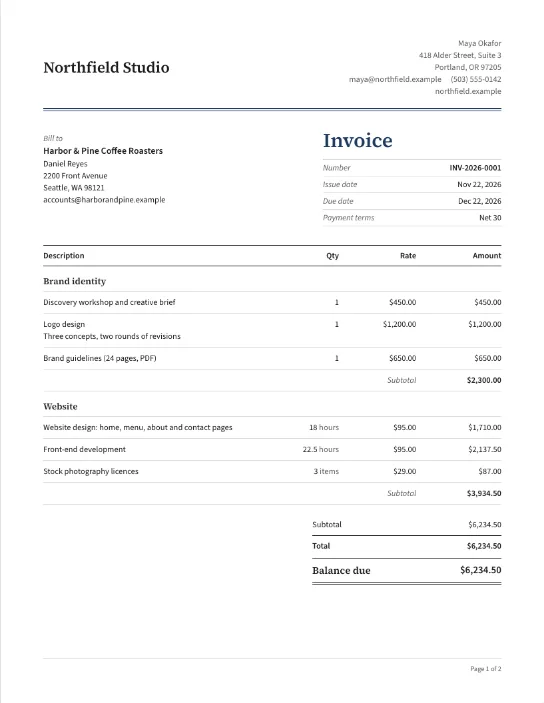
ClassicA letterhead over a double rule, a ruled ledger and serif headings. 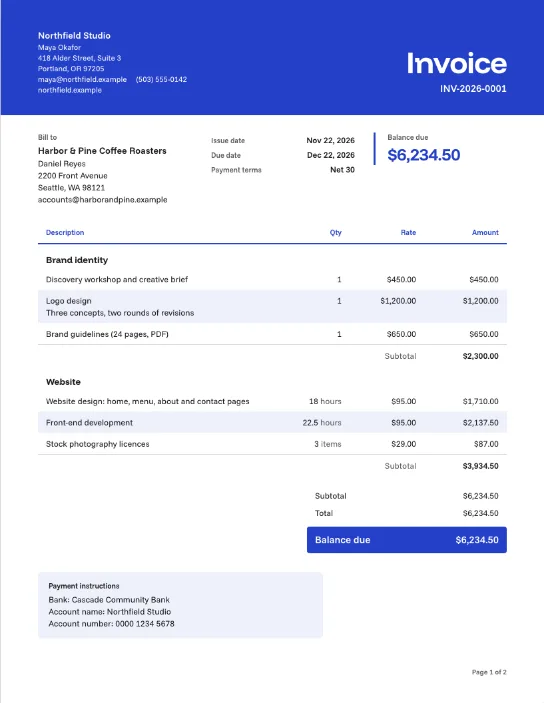
ModernA band of your colour across the top, with the amount due up front. 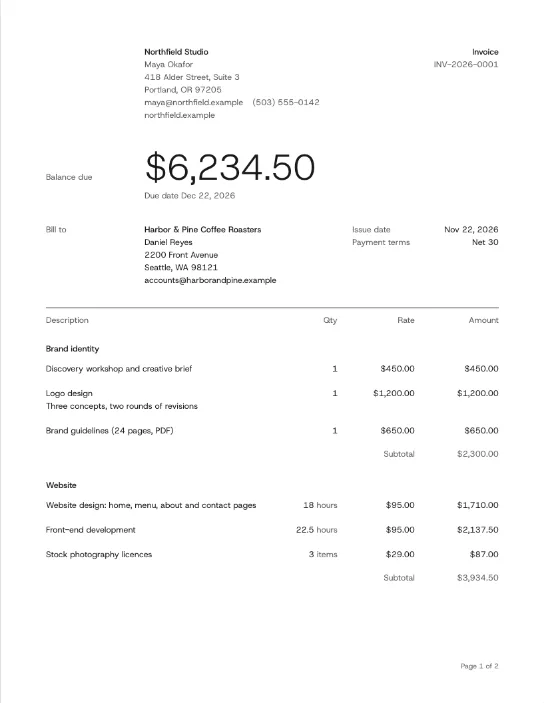
MinimalOne typeface, no boxes, and captions hanging in a narrow column. 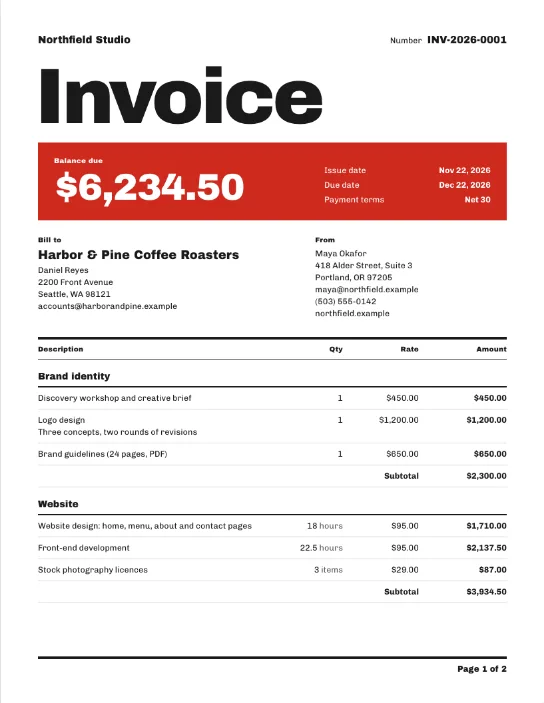
BoldA poster-sized title, heavy rules and the amount due on a slab of your colour. 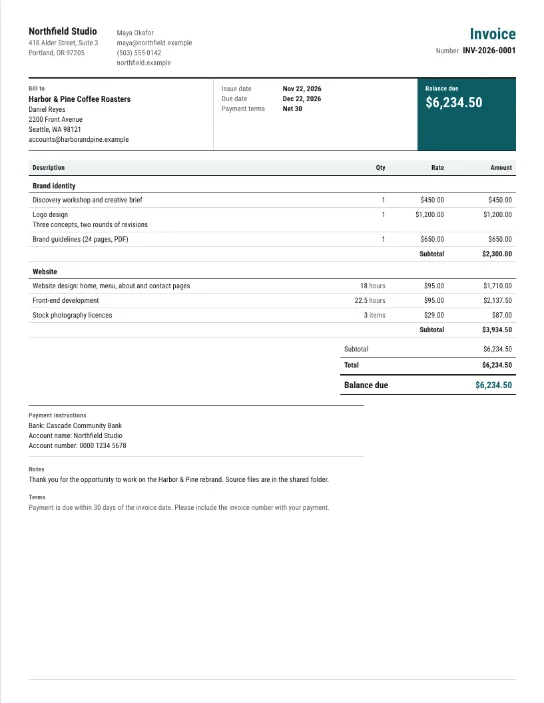
CompactCondensed type on a tight grid, for invoices with a great many lines. 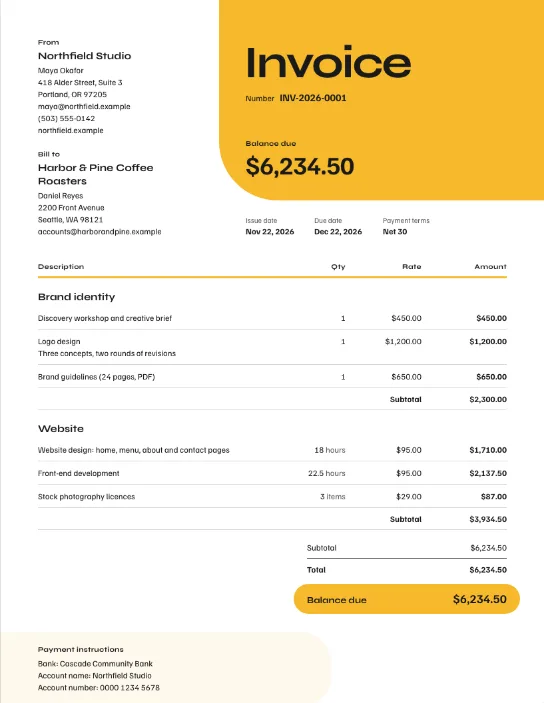
CreativeAn off-centre layout with panels of colour entering from the edges of the sheet. 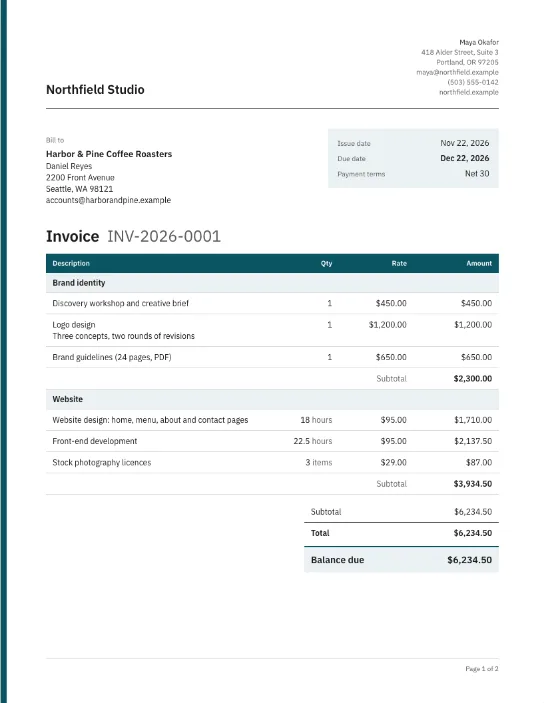
CorporateA formal business letter: letterhead, address window, subject line and a spine of your colour. 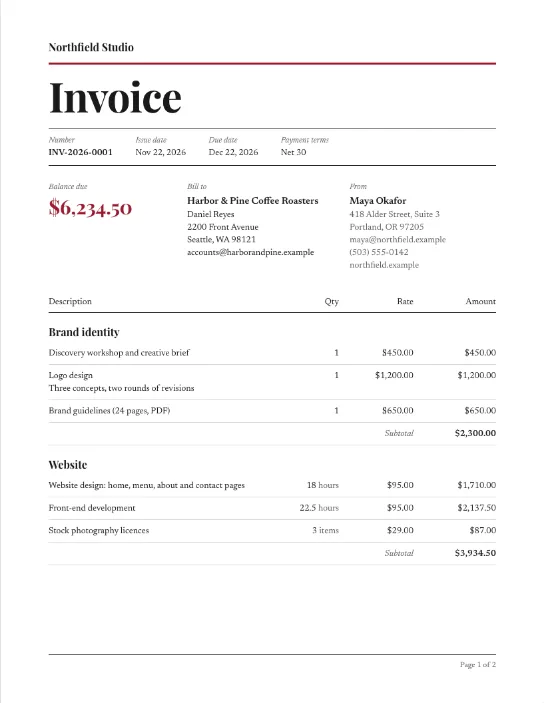
EditorialA magazine masthead in a display serif, a dateline between rules and wide margins. 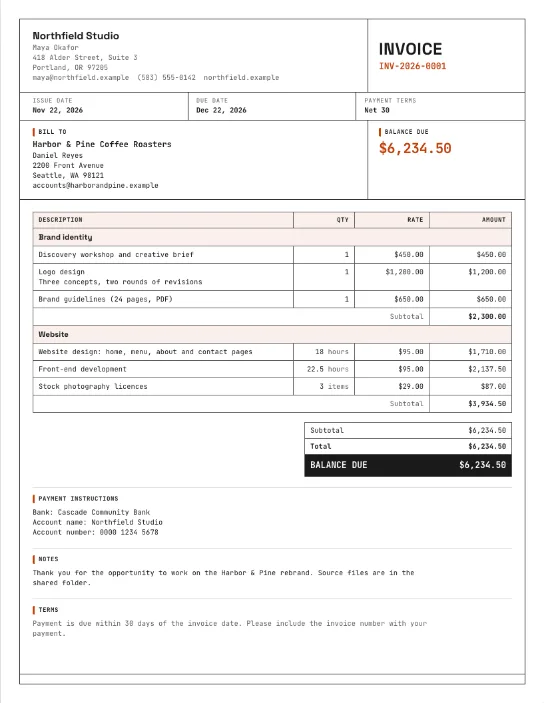
TechnicalA drawing sheet: a framed title block, monospaced figures and a ruled grid. 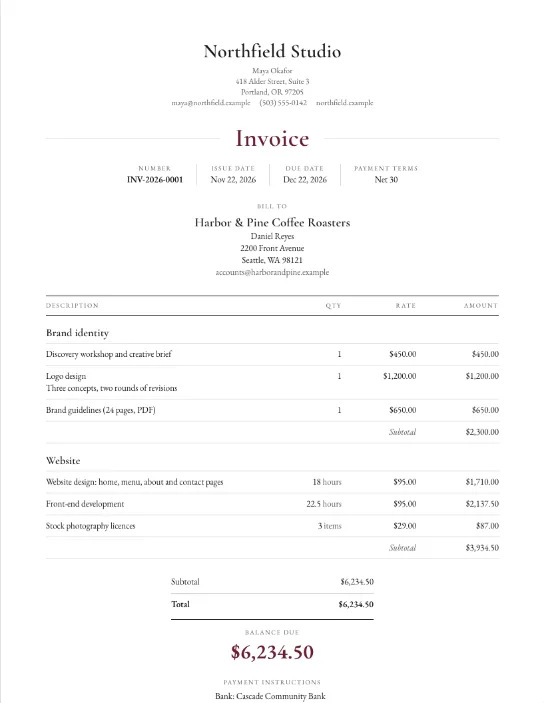
ElegantCentred like engraved stationery: a fine serif, hairline rules and the total set large. 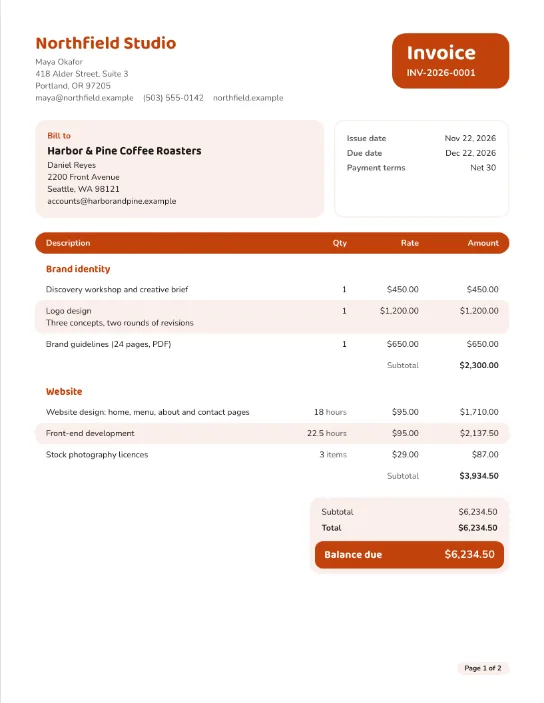
FriendlyRounded type and soft panels of your colour, with the title on a sticker. 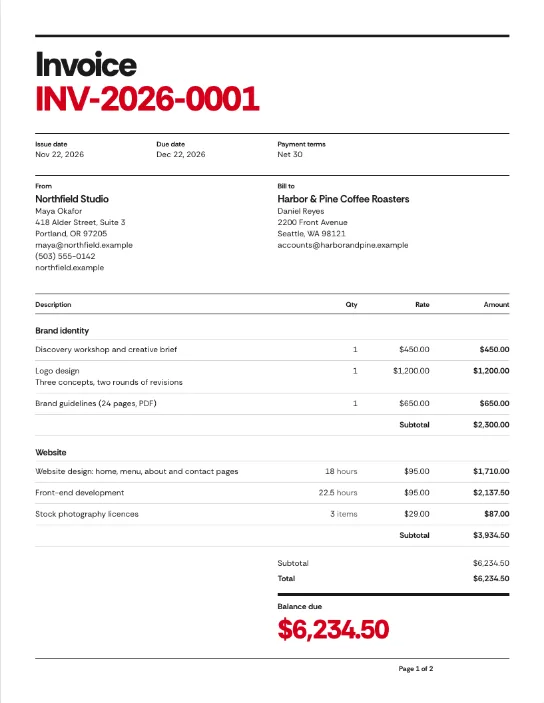
SwissA strict four-column grid, everything flush to one edge, and the numbers set heavy.
What you get, itemized
Written up the way this product would bill for it.
| Description | Qty | Amount |
|---|---|---|
| By the numbers | ||
| Templates, each with its own layout and type | 12 | $0.00 |
| Currencies, from yen with no decimals to dinars with three | 155 | $0.00 |
| Invoice languages, with right-to-left layout for Arabic | 9 | $0.00 |
| Payment QR formats: payment link, EPC, UPI and Pix | 4 | $0.00 |
| Ways out: PDF, PNG and print | 3 | $0.00 |
| Ways to sign: draw, type or upload | 3 | $0.00 |
| Paper sizes: US Letter and A4 | 2 | $0.00 |
| On every invoice | ||
| Taxes per line or per invoice: inclusive, compound, withholding, reverse charge | Included | $0.00 |
| Discounts, shipping, fees, a deposit, payments received and the balance due | Included | $0.00 |
| Line items you can drag, group under headings, subtotal and attach photos to | Included | $0.00 |
| Invoice numbers that count up in a format you set | Included | $0.00 |
| Your logo, cropped in place, and brand presets that remember a look | Included | $0.00 |
| Saved clients and items that complete as you type | Included | $0.00 |
| Autosave, undo and redo | Included | $0.00 |
| Total due | $0.00 | |
No account. No watermark on what you download.
The cents are checked
Invoice tools go quietly wrong in the arithmetic. Here every amount is a whole number of cents from the first keystroke to the PDF, never a floating-point fraction, and the rounding rule is yours to set.
Three lines at $4.99 each, with 7.25% tax:
Tax rounded on every line
- Tax
- $1.08
- Total
- $16.05
Tax rounded once, on the total
- Tax
- $1.09
- Total
- $16.06
Neither is a mistake. Which one applies depends on where you file, so you choose under Taxes, and the PDF carries the same cents as the screen.
These figures come from the editor's own arithmetic, run when this page was built.
The invoice speaks your client's language
The language of the invoice is set apart from the language of the app. Labels, dates and numbers follow it, and Arabic lays the whole sheet out from right to left.
- InvoiceEnglish
- FacturaSpanish
- FactureFrench
- RechnungGerman
- FaturaPortuguese
- FatturaItalian
- FactuurDutch
- فاتورةArabic
- बीजकHindi
Your invoices stay in this browser
There is no account, so there is no server holding your invoices. They are saved in this browser as you type, and the editor keeps working if the connection drops after the page has loaded.
This site loads no analytics, no advertising and no third-party scripts or fonts.
Worth knowing before you rely on it
- Clearing this browser's site data deletes your invoices. Download a backup from the editor's menu now and then: it holds every invoice, your business details and every file, and Restore from a backup brings them back, here or in another browser.
- Invoices do not travel between devices or browsers.
- It does not send email or take payments. You download the PDF and send it yourself; bank details, a payment link or a QR code can go on the invoice.
- Suggested tax rates are suggestions. Check them with your accountant before you send.
Hands on the keyboard
- Ctrl / ⌘K
- Search every action: switch template, change currency, add a tax
- Ctrl / ⌘Z
- Undo. Deleting a line is undone, not confirmed in a dialog
- Ctrl / ⌘ShiftS
- Download the PDF
- Tab
- Move through the invoice in reading order
- Enter
- On the last line, add another line
Your invoice is still up there
What you type is saved on this device as you go.